 DrillSolver
Every drilling formula.
Solve for anything.
Fill in what you know, leave one blank, and DrillSolver finds it. 123 formulas from kick tolerance to cement tops, kill sheets for five well control methods plus ballooning and LOT/FIT, a field calculator built for gloves and night tours, and your well's numbers one tap away.
iPhone · iPad · Mac — free to start, Pro is a one-time purchase
Fill in what you know. Leave one blank.
Every formula works the same way, whichever box you need.
-
1
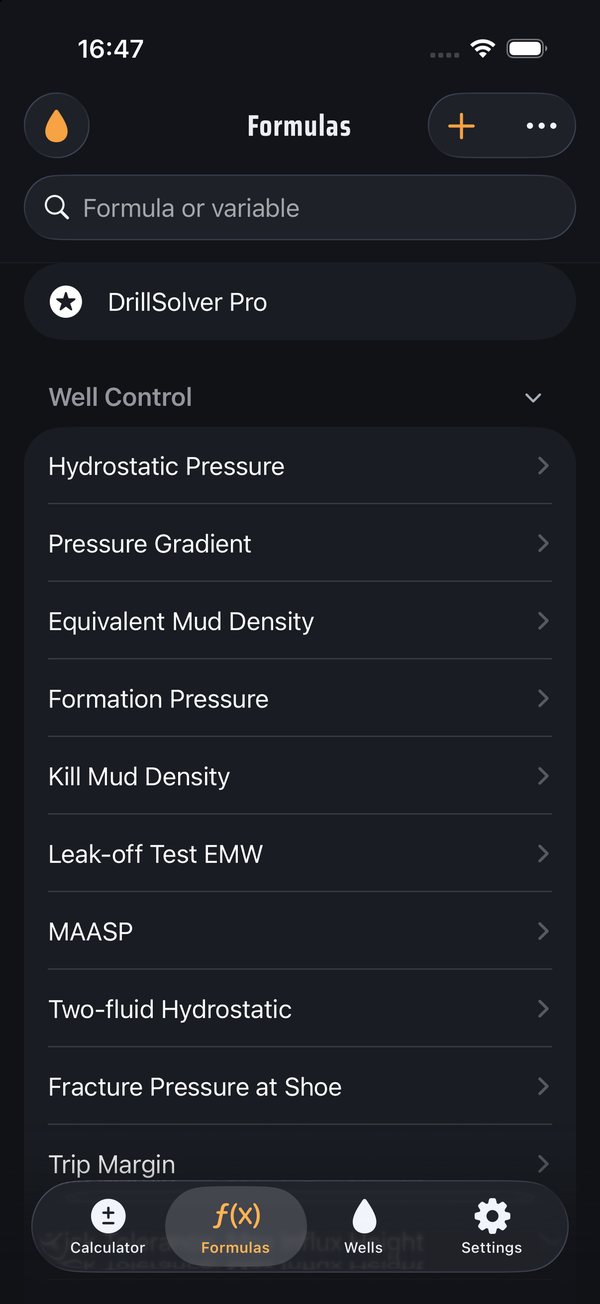
Pick a formula
123 formulas in 12 categories. Search by name, or by what you're after: type TVD and you get every formula that uses it. Star the ones you use every tour.
-
2
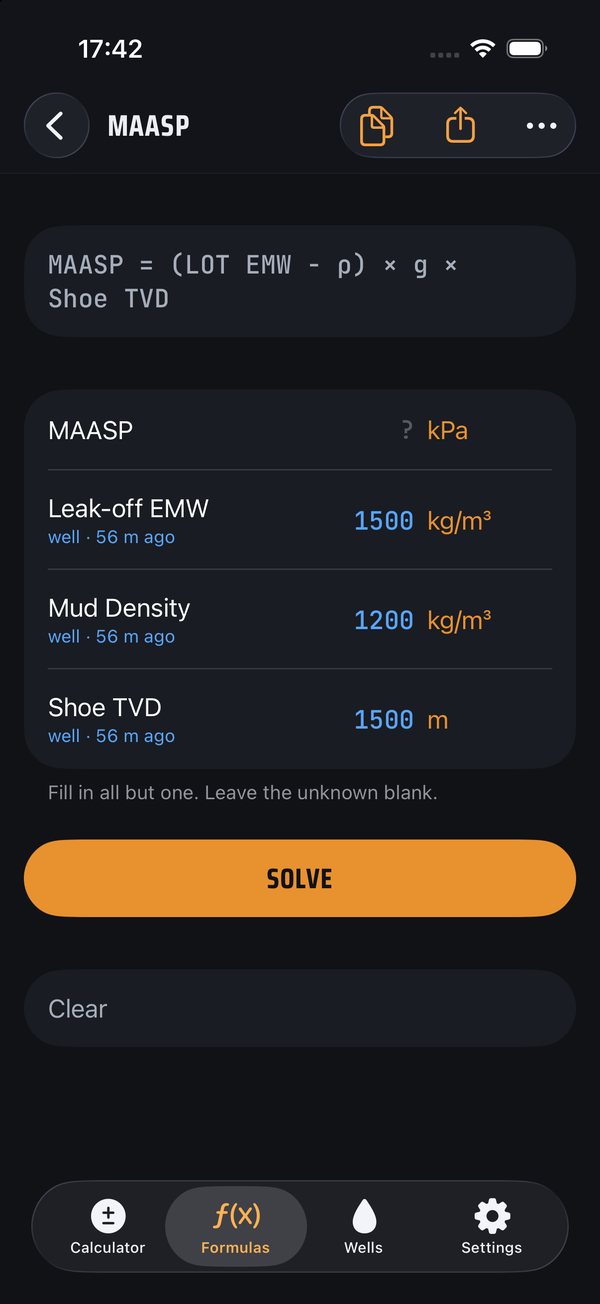
Fill in what you know
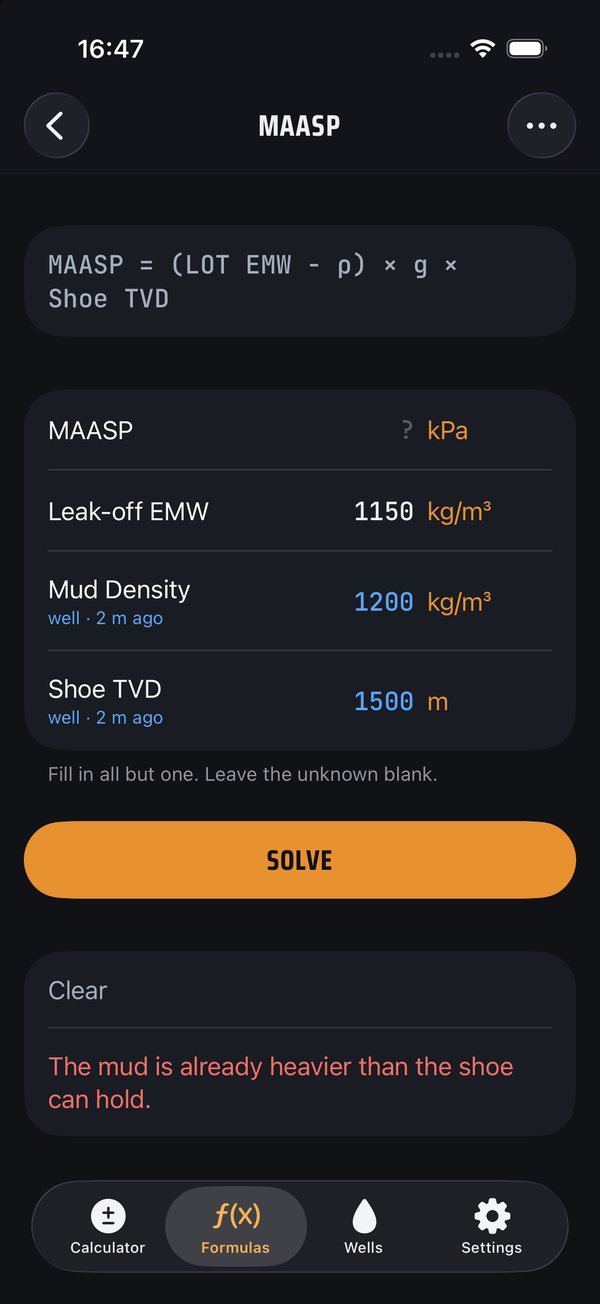
Type numbers in any unit; each box has its own unit menu. If you've picked the well you're on, numbers you've used before fill in by themselves in blue, with how long ago they were saved. Here MAASP is left blank, ready to solve.
-
3
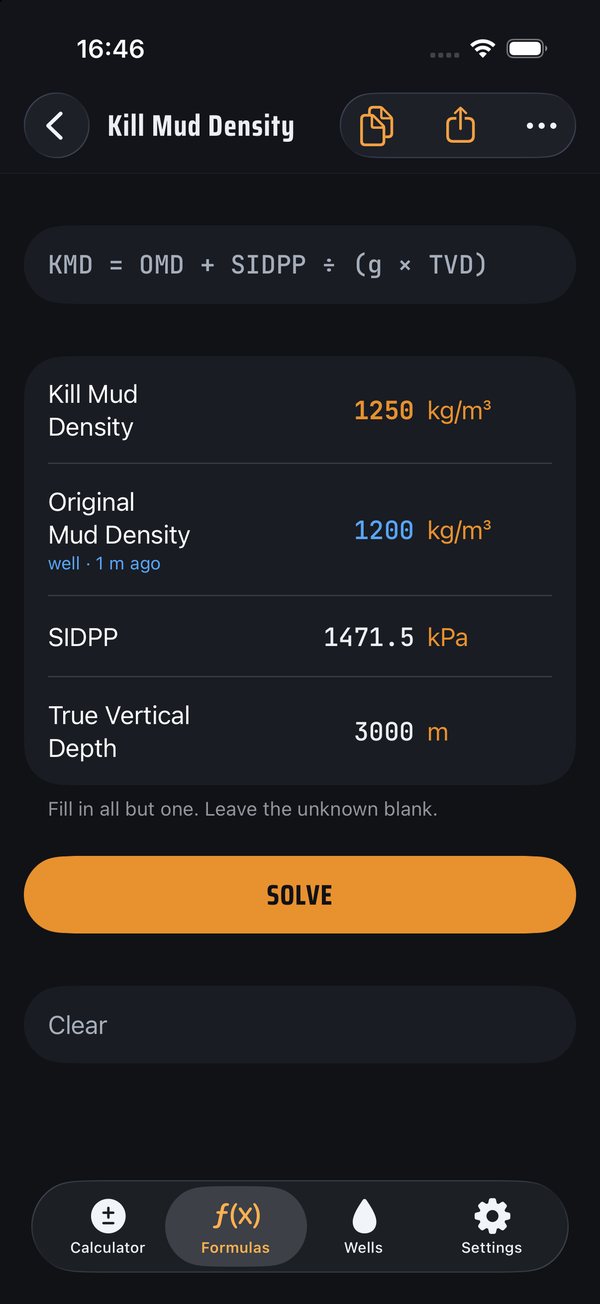
Leave the unknown blank and tap Solve
The answer comes back in amber. Any box can be the blank one: clear TVD instead of kill mud and it works out the depth. From the calculator, tap ƒ to run a formula and send the answer straight back.
-
4
If it can't be real, it says why
Put in a leak-off lighter than the mud and you won't get a negative MAASP. You get "The mud is already heavier than the shoe can hold." Fat-fingered numbers, like 12000 for 1200, get a heads-up too.
Type the shoe depth once
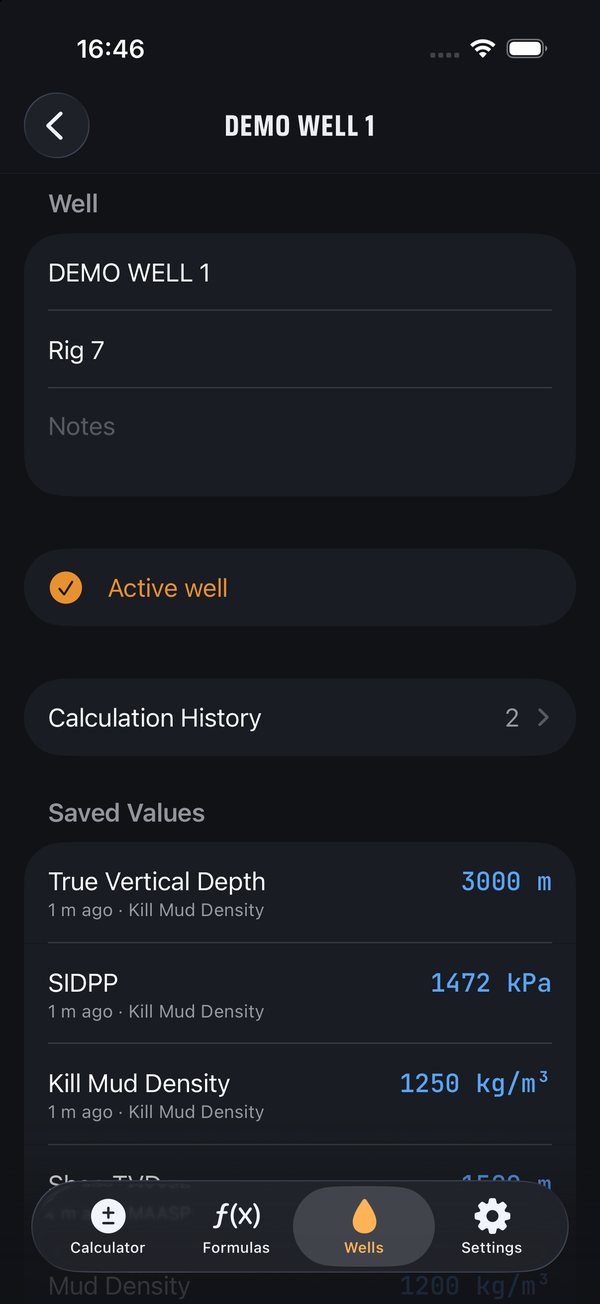
On a well, the same few numbers go into calc after calc: shoe TVD, total depth, leak-off, mud weight, SIDPP. Retyping them is where the mistakes come from. So DrillSolver remembers them for the well you're on.
- Fewer fat fingers. Every number you solve with is saved to the active well and fills in next time, in blue, so you can see it came from the well and not from you.
- Old numbers look old. Each value shows how long ago it was saved. Past your limit (12 hours unless you change it) it turns orange, because the mud weight from last tour might not be the mud weight now.
- One well's numbers stay with that well. On a pad, or after days off, switch wells and you get that well's depths, not the last one's.
- A record of what you worked out. Every calc is kept in the well's history, so you can look back at the kill sheet numbers from Tuesday or copy a line into the morning report.
No well picked? Formulas work exactly the same, nothing is saved. Wells stay on your devices.
Wherever you're doing the math
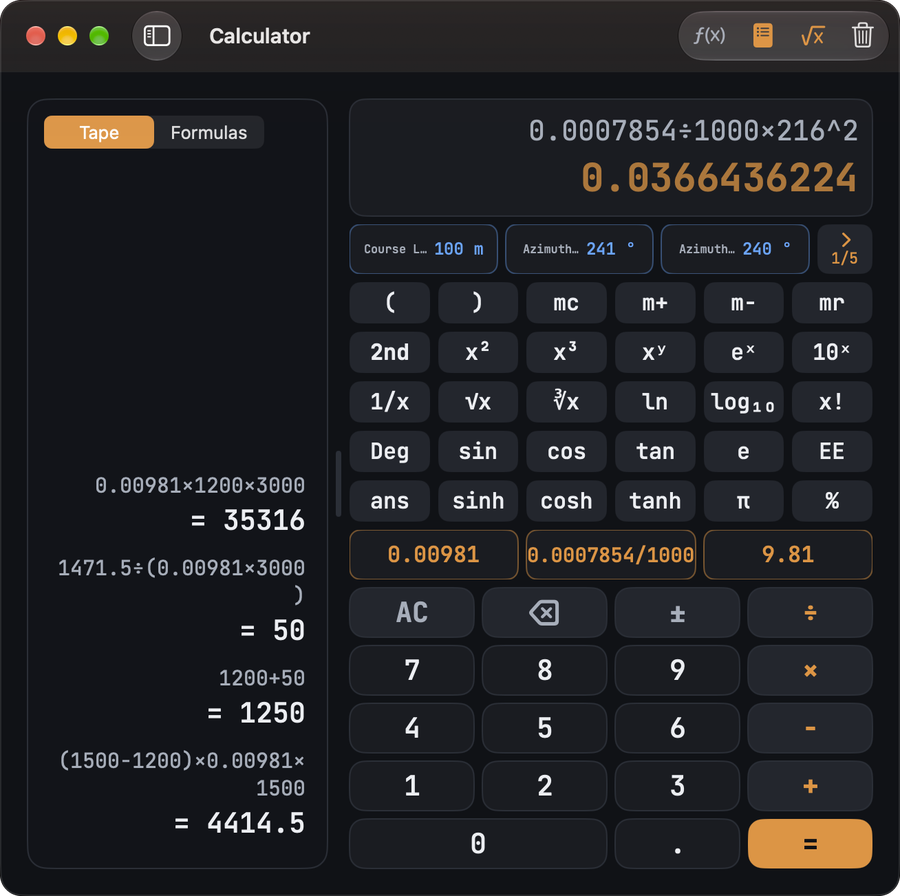
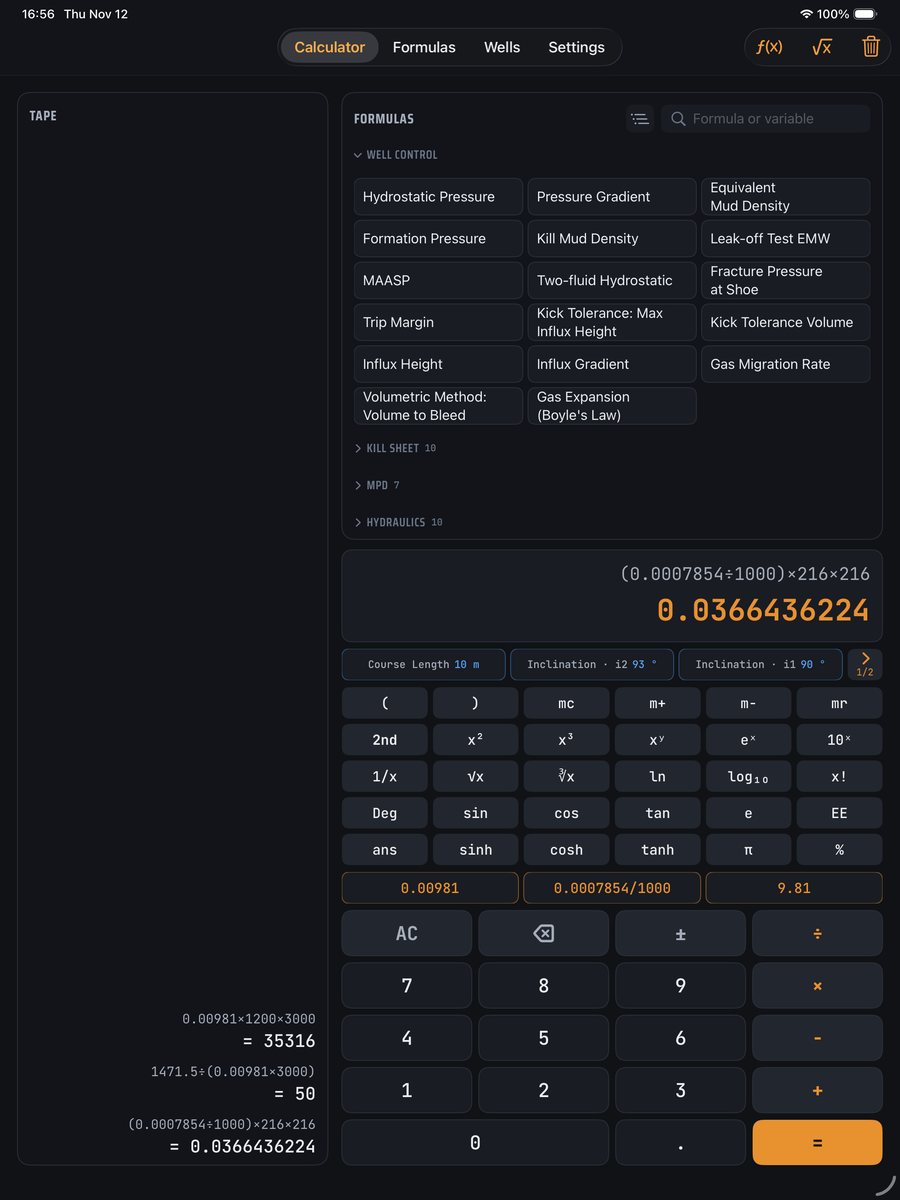
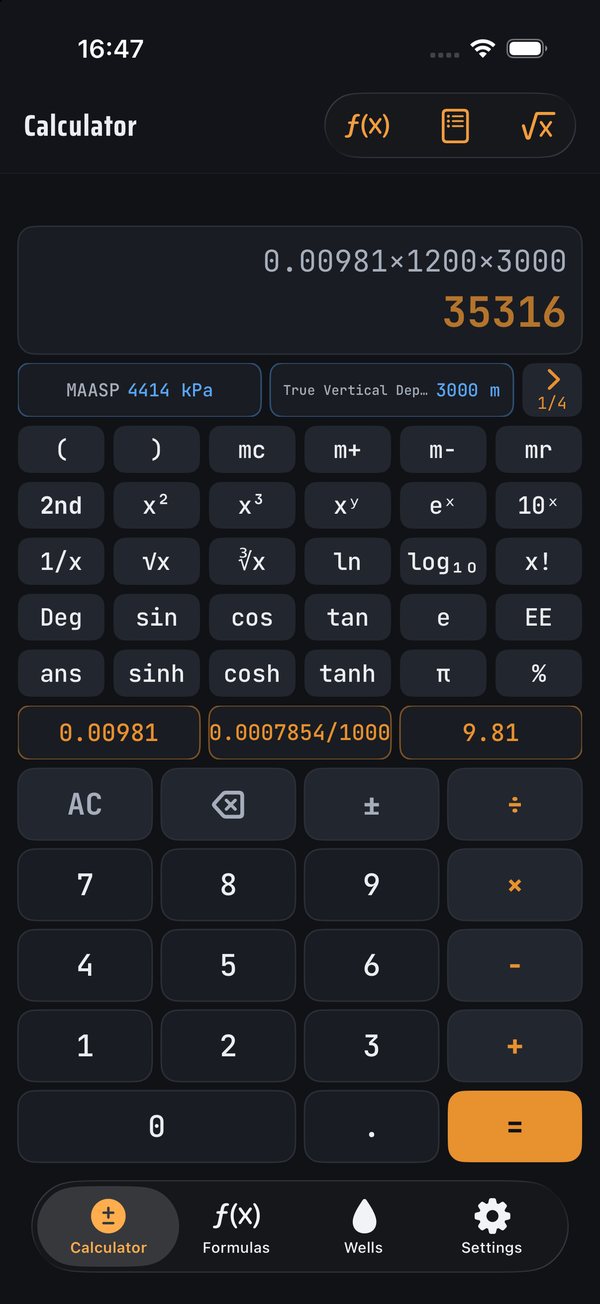
One app, laid out for each screen. Buy Pro once and it's unlocked on all of them. Your settings, favourites, formula picks and calculator keys sync through iCloud, so the 0.00981 key you set up on your phone is waiting on the Mac.
Built on the rig, for the rig
Any variable, not just the answer
Every formula runs in every direction. Know the kill mud and want the depth? Leave TVD blank. No rearranging on the back of a tally sheet.
A calculator worth keeping open
Big keys, a running tape, scientific functions, and your own constant keys like 0.00981 or 0.0007854. Hit equals again to repeat the last step.
Your numbers, ready to drop in
Pick the well you're on and every number you solve with is saved to it: shoe depth, TVD, mud weight, leak-off. Next time they fill straight in, with a history of every calc, and old numbers turn orange so you double-check them.
A kill sheet for every method
Wait & Weight, Driller's, Volumetric, Lubricate & Bleed and Bullheading, vertical or deviated. Plus a ballooning-or-kick check and LOT/FIT sheets that plot the test and pick leak-off. Saved on the well and ready to share.
Canadian metric, bar & SG, or oilfield
kPa and kg/m³, bar and SG, or psi and ppg. Mix units per field when the rig's paperwork does.
Tells you when something's off
If an answer can't be real — mud heavier than the shoe can hold, a hole smaller than the pipe — DrillSolver says why in plain English instead of handing you a junk number.
Free to start. Pro once, for good.
Free
- The full field calculator, scientific keys and custom constants
- Pick any 5 formulas to use, solve them every direction
- Swap a pick once a week
- Save your wells and their numbers
Pro one-time purchase
- Every formula in the library, and every one we add to it
- Kill sheets for Wait & Weight, Driller's, Volumetric, Lubricate & Bleed and Bullheading, plus ballooning and LOT/FIT
- Write your own formulas with the formula editor
- Calculator tape history and sending numbers between the calculator and formulas
- No subscription. Unlocked on your iPhone, iPad and Mac
A tool, not a sign-off. DrillSolver does the arithmetic. It doesn't replace your company's procedures, your engineer, or a second set of eyes on anything that matters for well control. Check the numbers before you act on them.